

This is the one page in these docs that needs someone technical. You choose what gets sent and when; a developer sets up the address that receives it. If you don’t have one, [email protected] can point them at what they need.
Set one up
Go to Preferences, open the Integrations tab, and find the Webhooks card at the bottom.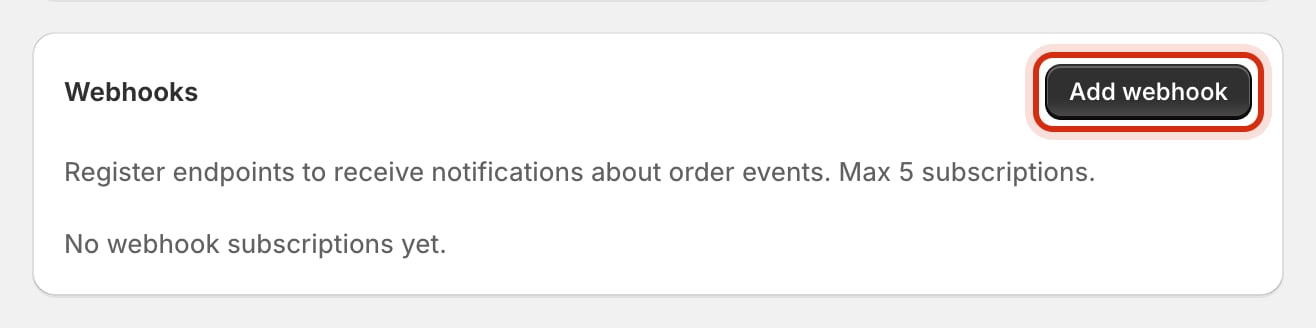
The Webhooks card. Up to five addresses.
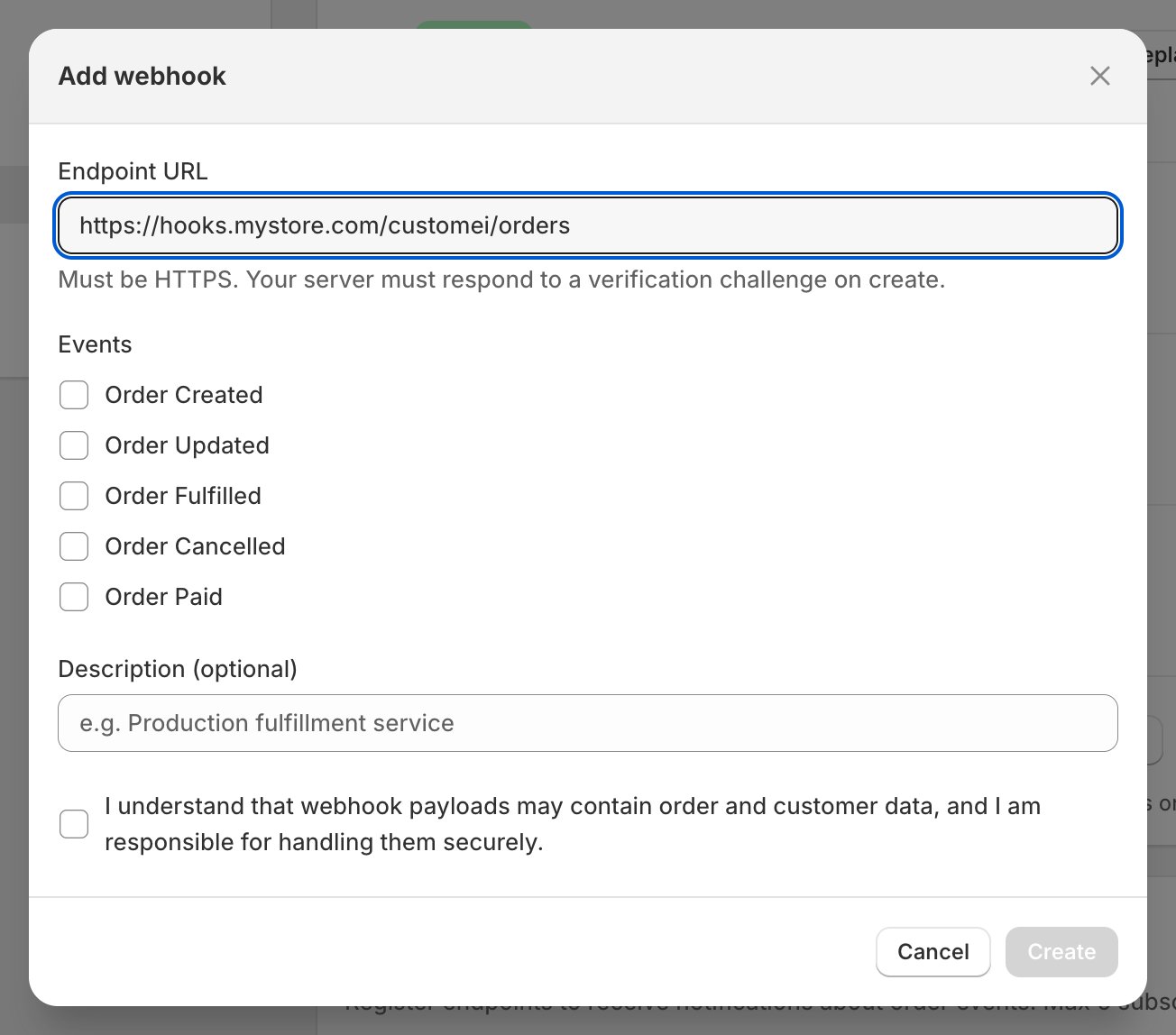
The address to notify, and which order events to send.
1
Paste the address
Your developer gives you this. It has to start with
https://.2
Tick the events you want
Five to choose from: when an order is created, updated, paid, fulfilled, or cancelled. Tick only what your tool actually reacts to.
3
Name it, so future-you knows what it is
The description is optional, but “Production fulfilment service” beats a bare address in six months’ time.
4
Confirm you'll look after the data
Order notifications include order and customer details, so you tick to say you’ll handle them properly.
5
Click Create
Customei sends a quick test to the address to make sure something is really listening. If nothing answers correctly, the address is rejected and nothing is saved.
Check that it’s working
Each row in the card shows the address, the events it’s subscribed to, and whether it’s Active or Disabled. Click the address to open it. Inside you get:- Deliveries, last 30 days. How many messages succeeded and how many failed, with a bar chart by day.
- The delivery log. Every attempt: which event it was, what set it off, whether it worked, the answer that came back, and when. Failed rows have a Retry button, so a message lost while your server was down doesn’t have to be lost for good.
- Disable and Enable, for turning an address off without deleting it. Handy while your developer works on it.
Delete one
Use the bin icon on its row and confirm. It stops immediately and can’t be undone. The address has to be set up again from scratch if you change your mind, including a new signing secret.Where to next
Connecting other services
The rest of the Integrations tab.
Let an AI assistant help you
Another way to reach your account from outside.