

Start here: which one do you need?
I sell something we print
Mugs, t-shirts, canvas prints, anything with artwork on it.Your customer sees the product change while they choose. When they order, you get a file ready to send to your printer.That takes five steps. See below.
I just need to ask a question
A gift message, a name to engrave, a delivery date, a wrapping colour.Nothing is printed by us, so there is no artwork to make. You only want to know what the customer wrote.That takes three steps. See the short version.
The words we use
Four words come up on every page of these docs. They are simpler than they sound.Design template
Your artwork, drawn once at the size you print it.Each thing on it sits on its own layer: the photo is one layer, the name is another. Think of layers as stickers you can move one at a time.
Design preview
Your artwork shown on a photo of the real product, so your customer sees a mug and not a flat picture.The product photo is called a mockup.
Option set
The list of questions you ask your customer, and what each answer changes on the artwork.
Product
Your Shopify product. This is where the questions show up for real customers.
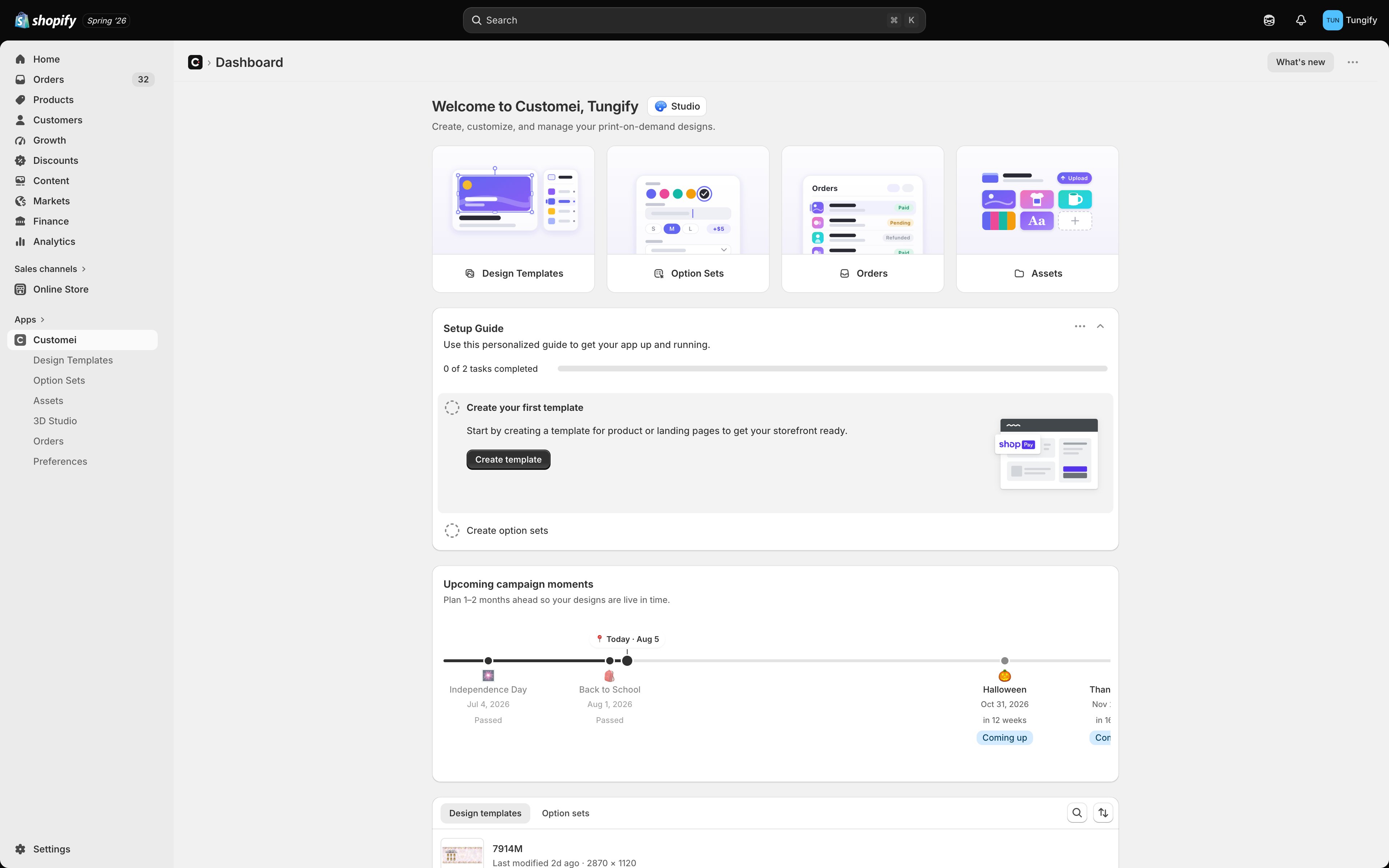
The Customei home page. Everything you need is in the left sidebar.
The five steps
Let’s say you sell a canvas print of two friends. You want the buyer to pick skin tones, add their own names, and see the result before they pay.1
Draw the artwork once
Choose your print size and lay out the design: the two figures, the wording, and an empty text layer where a name will go.Every layer gets a number, like
#14 or #3. Write those numbers down. You need them in step 4.How to do it: Create a design template.Already have the artwork as a Photoshop file? You don’t have to draw it again, see Bring in a Photoshop file below.2
Add a photo of the product
Still in the same screen, pick a photo of the thing you sell: the canvas, the mug, the shirt. Your artwork drops onto that photo.Now your customer sees a real product instead of a flat file. Add as many product photos as you like.How to do it: Add a mockup preview.
3
Write your questions
Make the list of things you want to ask: Enter Year, Choose Skin For 1st Woman, Enter 1st Woman’s Name.For each one you pick how the customer answers it. Typing a name is a text box. Picking a skin tone is a row of small pictures. Choosing a size is a dropdown.How to do it: Build your options.
4
Say what each answer changes
This is the step people miss, and it is the one that makes the magic work.You point each question at a layer. The answer to Enter Year becomes the words on layer
#14. The skin tone picked in Choose Skin For 1st Woman swaps the picture on layer #3.Miss this step and your questions still appear on the product page, but nothing on the artwork changes.How to do it: Connect an option set to a template.5
Put it on your product and publish
Choose the Shopify product this belongs to, then press Publish. Your questions are now live on that product page.How to do it: Assign products and publish.
Steps 1 and 2 happen on the same screen. When you open a design template you see two pictures side by side: the artwork you print on the left, and the product photo on the right. See The design and preview frames.
The short version: just ask a question
Some things you sell need no artwork at all. A message inside a card. A name engraved on a bracelet. The day you should deliver. You only need the customer’s words.1
Make a list of questions on its own
Start a new option set and don’t attach any artwork to it.How to do it: Create and manage option sets.
2
Add your questions
A text box for the message. A dropdown for the wrapping. A date picker for delivery.How to do it: Build your options.
3
Put it on your product and publish
Exactly the same as step 5 above. See Assign products and publish.
What each part of the app is for
Five things that save you a lot of time
Once the steps above make sense, these are worth knowing about.Bring in a Photoshop file
If your artwork is already a layered Photoshop file, you don’t have to draw it again. Import PSD as template brings it in for you. Your text comes in as text you can still edit, your pictures are saved into a folder of images you choose, and Customei tries to match the fonts in the file to fonts you have. Full guide: Bring in a Photoshop file.Questions that write themselves
You don’t have to type your questions out one by one. If you build an option set from a design template, Customei reads your layers and writes most of the questions for you. A text layer becomes a text box. A layer that pulls from a folder of images becomes a row of pictures to choose from. It stays joined up after that, too. Rename a layer and the question follows. Add a layer and a new question appears. Add more pictures to a folder of images that a layer uses, and the choices your customer sees grow with it. You top up the folder once instead of editing every option set by hand. If you edit a question yourself, your version wins and stays put. Each question shows a small badge so you can see whether it is still following the artwork. You can pause a question so it stops changing, or reset it to go back to what the artwork says. Full guide: Options that keep themselves up to date.Selling in more than one language
You can show your questions in your customer’s language. First you add the languages you sell in. Then you translate each option set, either by typing the translations yourself or by letting Customei draft them for you. If certain words must always come out the same way, like a brand name or a material, you can add them to a list of set phrases first. Full guide: Selling in more than one language.Let an AI assistant do the busywork
You can connect an assistant like Claude to your Customei account. It can then list your artwork and your questions, copy a template, add a language, translate your options, or publish a product for you, all from a chat. You connect it once in Preferences. Everything it does is written down in a list you can read, and you can cut off its access whenever you want. Full guide: Let an AI assistant help you.Tell your other tools about new orders
Customei can let your own systems know as soon as a personalized order comes in, so nothing has to be copied across by hand. You give it the web address to notify, choose which order events count, and watch every attempt in a delivery list you can retry from. Full guide: Tell your systems about new orders.Where to next
Design templates
Start with the artwork.
Create a design template
Pick a size and lay out your first design.
Option sets
Write the questions your customers answer.
Assign products and go live
Put it on a product page.